Workflow Trigger
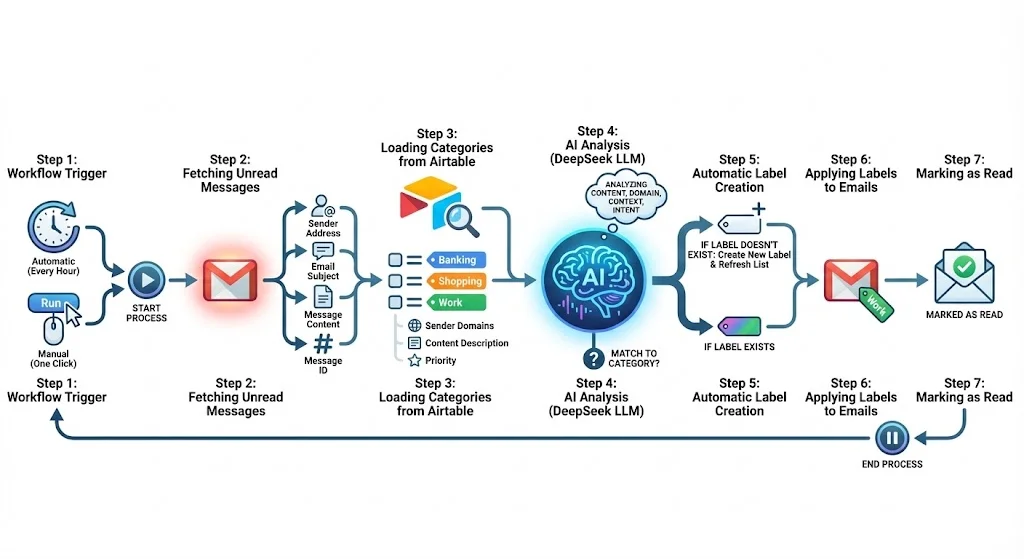
Runs automatically every hour or manually with one click when you need it.
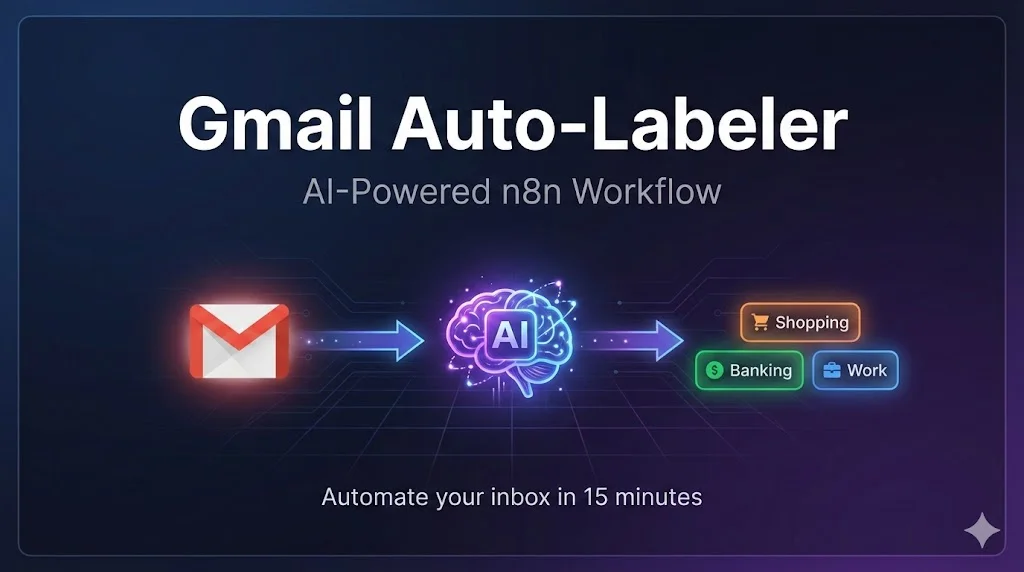
Stop wasting time manually sorting emails. Let AI automatically categorize and label your Gmail inbox based on custom rules you define in Airtable.
Important emails get buried under newsletters, notifications, and spam.
You spend 15-30 minutes daily just sorting and organizing emails.
The same types of emails need the same labels — over and over again.
Decision fatigue from constantly choosing how to categorize each message.
A fully automated workflow that runs hourly or on-demand to keep your inbox organized.
Runs automatically every hour or manually with one click when you need it.
Retrieves all unread messages from Gmail: sender, subject, content, and ID.
Fetches your custom categories from Airtable: label names, domains, descriptions.
DeepSeek LLM analyzes each email's content, sender, and context to find the best match.
If the assigned category doesn't exist in Gmail yet, the system creates it automatically.
The appropriate label is added to each message in your Gmail inbox.
Processed emails are marked as read so they won't be analyzed again.
Emails are sorted automatically — you never touch a label again.
Define your own rules in a simple Airtable table. No coding required.
AI understands context, not just keywords. Smart categorization every time.
Adding new categories is as easy as editing one row in Airtable.
Use DeepSeek, OpenAI GPT, Claude, or any other compatible model.
Hourly automatic processing keeps your inbox always organized.
Self-hosted or n8n Cloud. Free tier works fine for personal use.
OAuth2 authentication. Works with personal and Workspace accounts.
Personal Access Token required. Free tier is sufficient.
DeepSeek recommended. OpenAI, Claude, or others also supported.
The workflow automatically fetches unread emails from Gmail, loads your custom categories from Airtable, uses AI (DeepSeek LLM) to analyze and categorize each email, creates labels if needed, and applies them to your messages.
Yes! The workflow is designed to be LLM-agnostic. You can easily swap DeepSeek for OpenAI GPT, Claude, or any other compatible model by updating the API configuration.
You need: an n8n instance (self-hosted or cloud), a Gmail account with OAuth2 authentication, an Airtable account with Personal Access Token, and an API key for your chosen LLM provider.
Categories are defined in an Airtable table with simple columns: label name, sender domains, content description, and priority. Just add or edit rows to customize how your emails are sorted.
Yes! The workflow works with both personal Gmail accounts and Google Workspace (formerly G Suite) accounts. OAuth2 authentication is supported for both.
By default, it runs every hour. You can adjust the schedule in n8n or trigger it manually whenever you want.
Purchase this n8n workflow template and start organizing your emails with AI today.
Buy on Gumroad